
Stock Clearance & Liquidations
Turn slow-moving and end-of-season inventory into recovered cash. Dynamic Pricing AI runs inventory-based clearance rules, automated markdown ladders, and discount price tests — so every SKU clears at the smallest discount that still gets it sold.
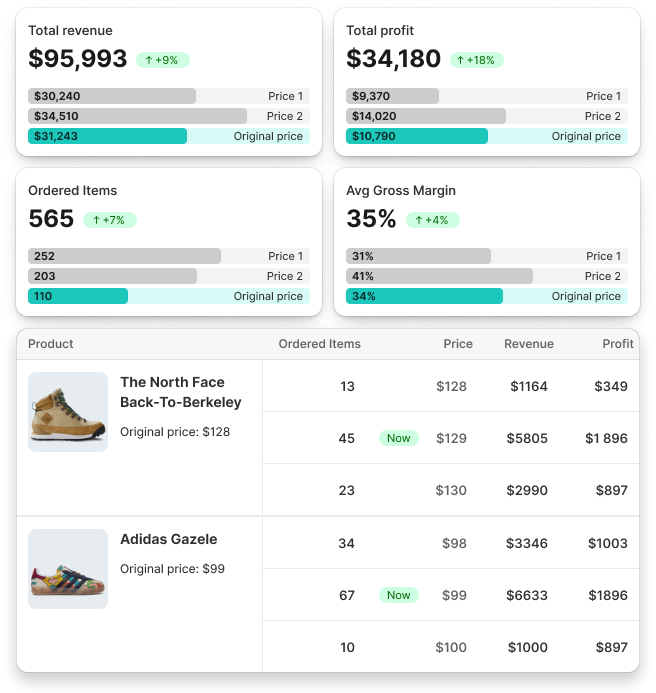
Three ways to clear stock without guessing
Combine inventory-based rules, markdown ladders, and price testing — or run just one. Every rule respects the margin floor you set.
Inventory-Based Clearance Rules
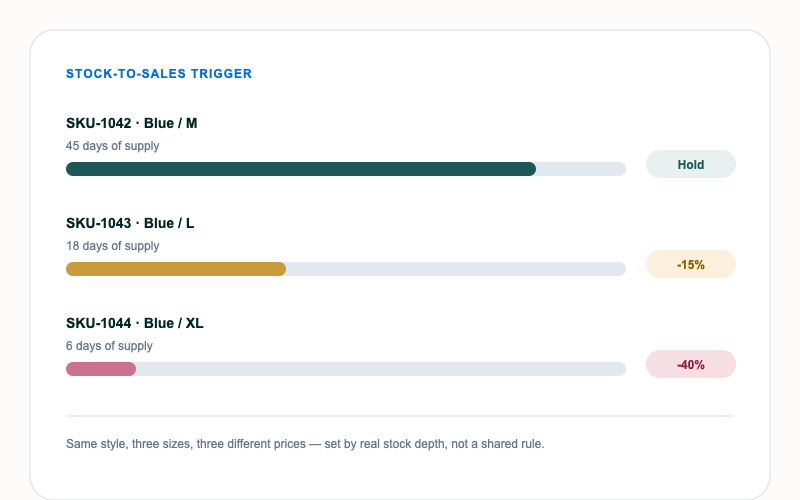
Set price cuts that scale with real stock depth and days-of-supply, not a guess. When a SKU's sell-through falls behind target, price adjusts automatically — before it becomes dead stock.
- Trigger discounts by stock-to-sales ratio, not a fixed date
- Different rules for overstock vs. healthy inventory
- Automatic reversal if demand picks back up
Automated Markdown Ladders
Build multi-step markdown schedules — for example 15% then 30% then 45% then clearance — that step down automatically based on time-in-clearance or remaining stock, instead of manually pushing new discounts every week.
- Time-based or inventory-based ladder triggers
- Different ladders per category, season, or collection
- Floor price protection at every step
Discount Price Testing
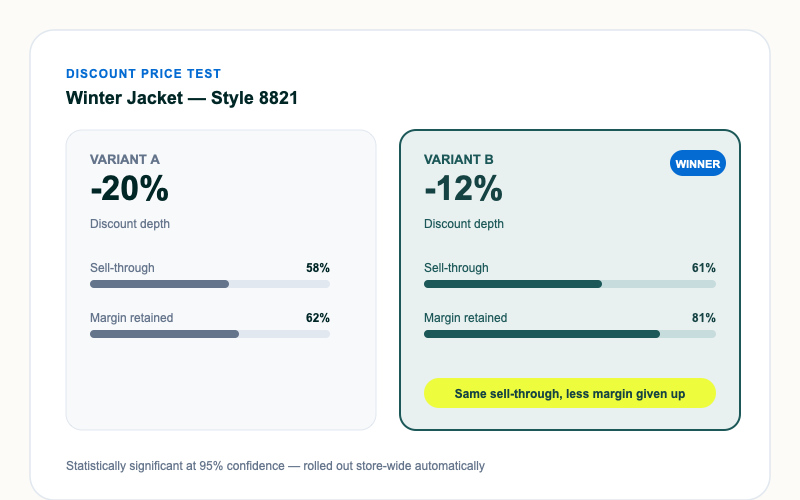
A/B test different discount depths across similar SKUs or stores to find the smallest markdown that still clears stock on schedule — instead of guessing and over-discounting.
- Test discount depth, not just price
- Statistically valid results before rolling out
- Winning discount applied automatically at scale
Multi-Channel Clearance Sync
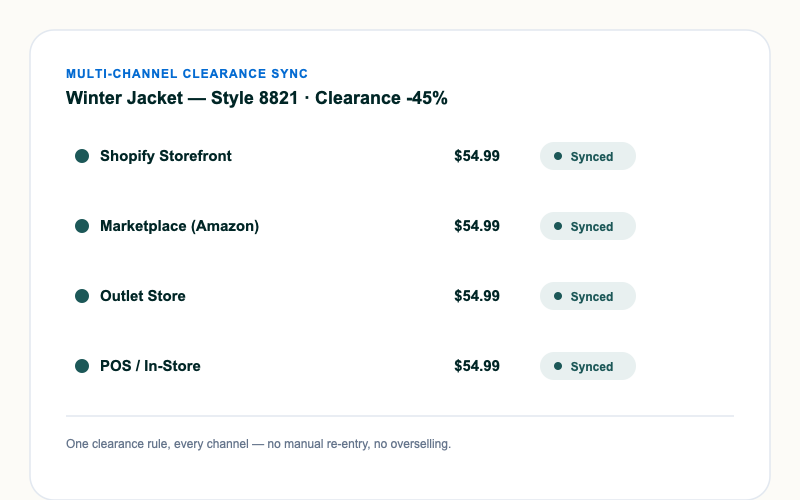
Push clearance pricing consistently across your Shopify storefront, marketplaces, and outlet channels so stock clears everywhere at once, not just where you remembered to update it.
- One rule, every sales channel
- No manual re-entry per channel
- Real-time inventory sync prevents overselling
How clearance automation works
From connecting your store to tracking recovered margin — set up once, runs automatically from there.
-
Connect your inventory & sales data
Sync Shopify (and any other channel) so Dynamic Pricing AI sees real-time stock levels and sell-through per SKU.
-
Set your clearance rules
Choose inventory-based triggers, markdown ladders, or price tests — or combine all three by category.
-
AI prices automatically
Prices adjust daily as stock and demand data change, always within the margin floor you set.
-
Track recovered margin
See exactly how much revenue and margin clearance pricing recovered versus a blanket markdown.
Frequently asked questions
-
A markdown ladder steps down price on a schedule tied to time-in-clearance. Inventory-based clearance reacts to real stock depth instead, so a fast-selling SKU can skip a step while a stalled one accelerates through the discounts faster. You can combine both in the same rule.
-
Yes. Discount price testing runs on a sample of SKUs first and only unlocks store-wide rollout once results are statistically significant, so you're not guessing at scale.
-
No. Every clearance rule, markdown ladder, and price test respects the margin floor you configure — automation never discounts past the line you set.
-
Yes. Clearance pricing syncs across Shopify and any connected marketplace or outlet channel, so stock clears everywhere at once instead of channel by channel.
-
A store-wide sale discounts everything equally. Clearance rules only discount SKUs that are actually behind on sell-through, protecting margin on stock that never needed a discount to sell.
-
Most merchants configure their first clearance rule and go live within a day of connecting their store.
Schedule A call with our team!
Talk to an ExpertGet in touch with a Dynamic Pricing AI representative
Please fill out the form and we will contact you back with more details.